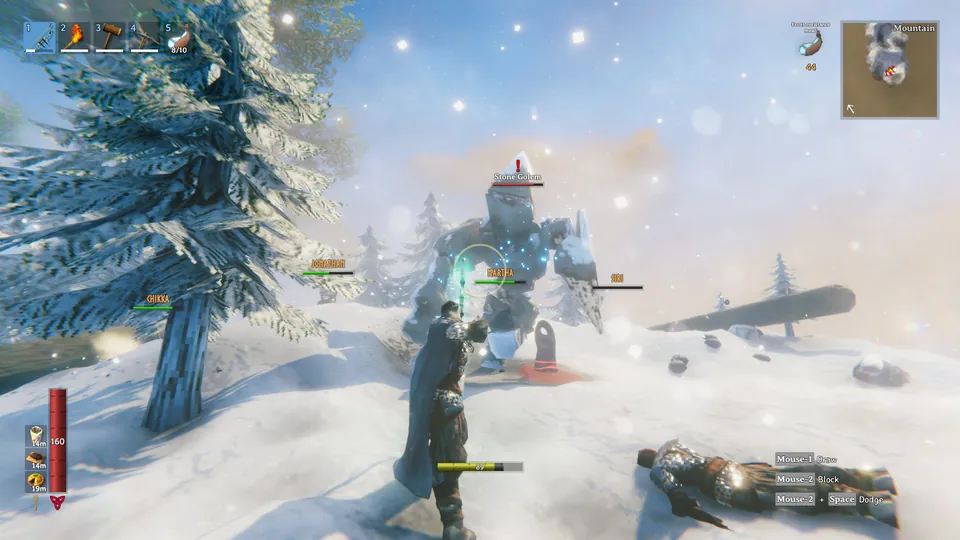
Tin Hat 11 is out →

Game night
lives here.

Tin Hat is the chat, voice and game-night app our crew built for itself. Crisp calls, 4K screen shares and zero upsells, on a server we run ourselves, with end-to-end encrypted calls.

Windows · Linux · web · iPhone & Android. Free, no ads, no ID checks.

Tin Hat is where our crew hangs out. Chat, voice and game nights on a server we run ourselves, with no fees, no ads, no ID checks and nobody reading over your shoulder.

$0Every feature, for everyone. No Premium tier, ever.
4K60Screen shares with no paywall on quality.
1,190Themes to pick from, or build your own.
E2EEEvery call and every direct message, end-to-end encrypted.

01 Calls

Voice that sounds like the same room.

Hop in with one click and hear everyone clearly. Echo cancellation and noise suppression are built in, and every voice gets its own volume.
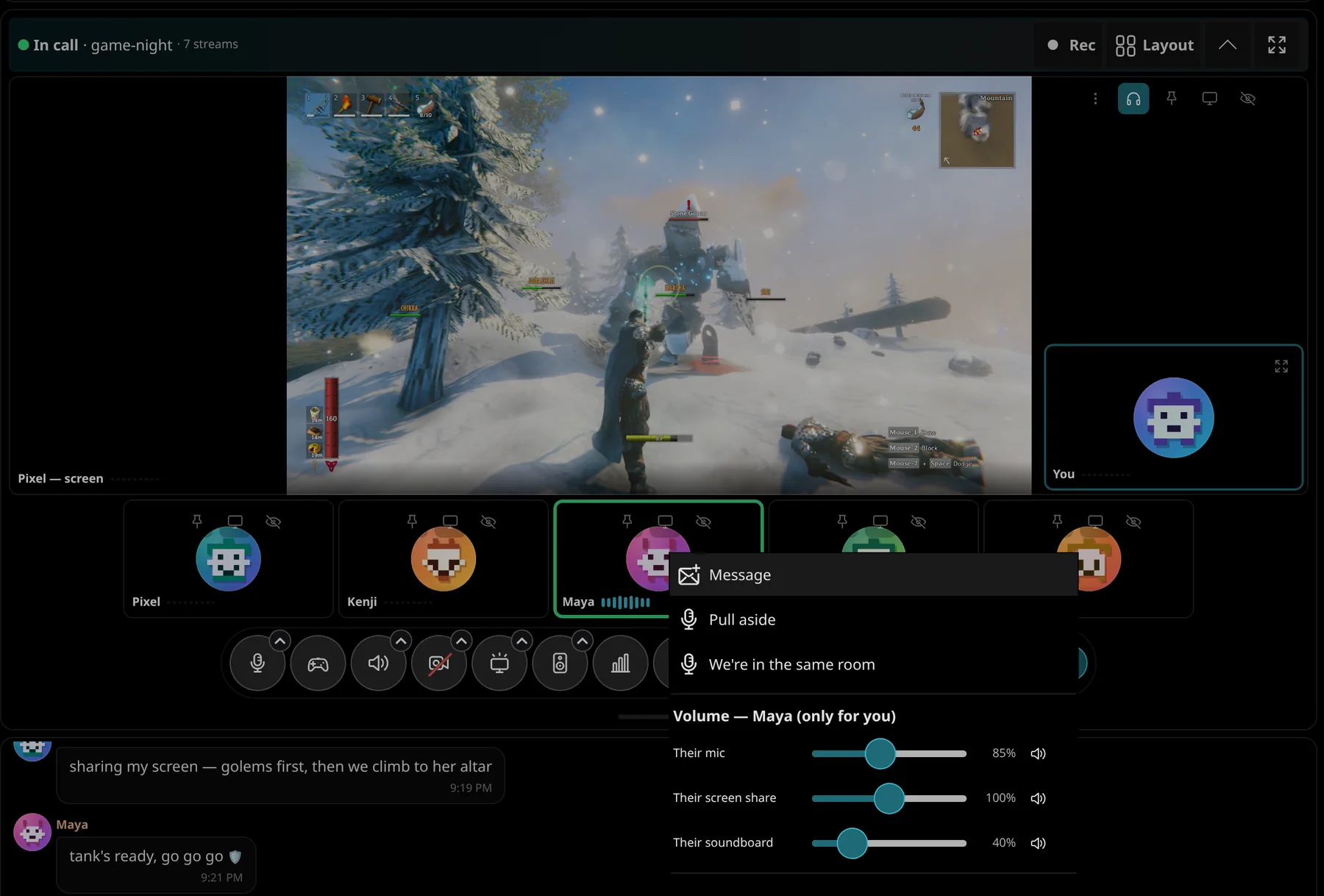
  • Per-person volume. Turn down the loud one, turn up the quiet one. Just for you.
  • "Can they hear me?" A mic check before you join, and a live heard by readout while you talk.
  • Pull someone aside. Side chat in a corner without leaving the call; everyone else drops to 10 %.
  • Game chat mode. Already talking in the game's own voice chat? The blue mic stops you hearing each other twice.
  • Same room. Two of you on two devices in one room? Link up: one voice from your room, no double hearing, no echo through the other device.
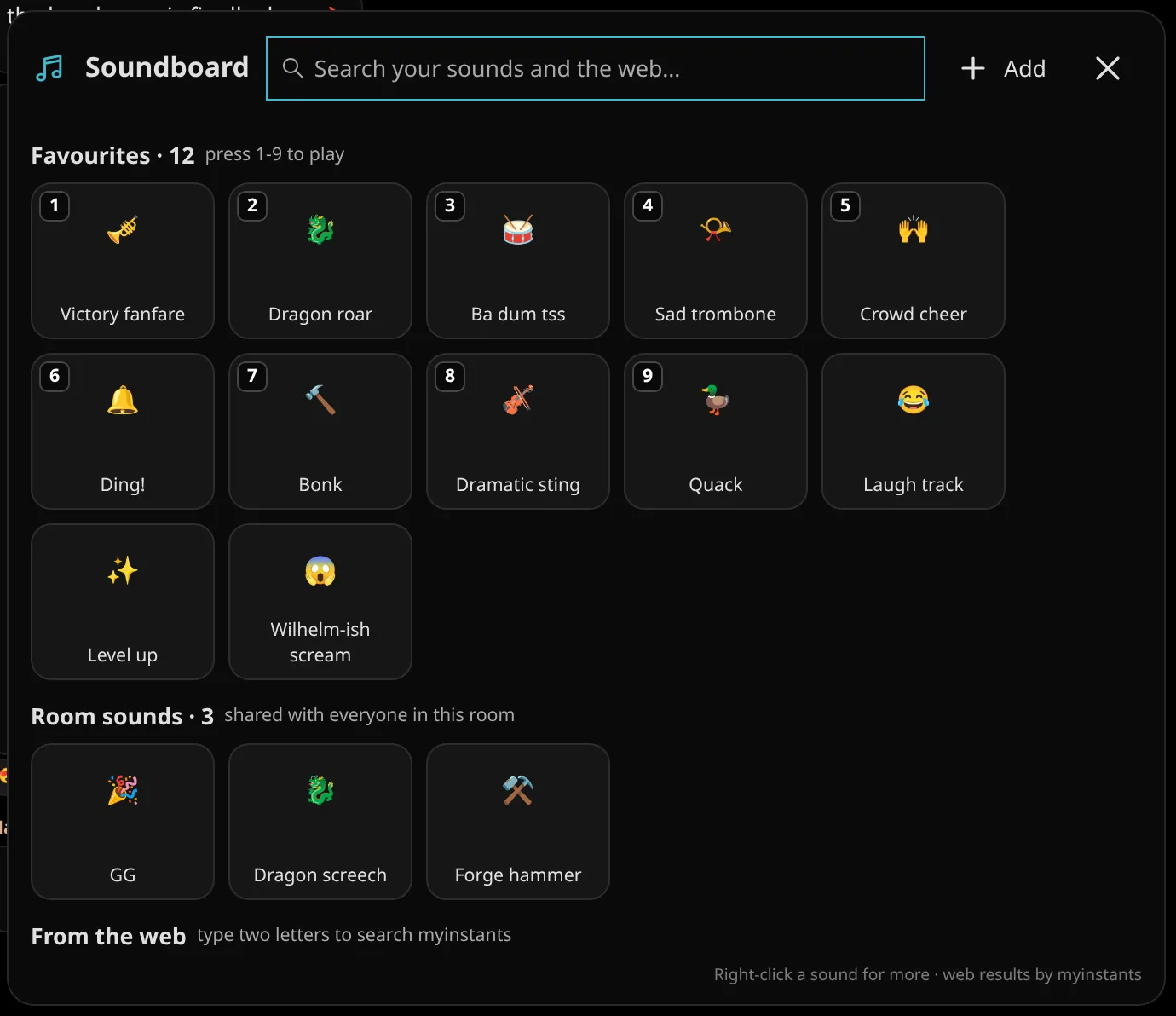
  • Soundboard. Your clips, the room's clips, one tap into the call.
A call in game-night: Pixel shares a game on stage, and the right-click menu on Maya's tile has separate volume sliders for her mic, screen share and soundboard, plus Pull aside.
The soundboard: favourites on keys 1 to 9 like Victory fanfare, Wyrm roar and Sad trombone, the room's own sounds, and a web search.

02 Streams

Screen shares that don't look like soup.

Share your game in 1080p60, 1440p or full 4K at 60 fps, hardware-encoded on your graphics card. No subscription unlocks it, because there's nothing to unlock.
  • NVENC and AV1. Sharp text and smooth motion at a fraction of the bandwidth.
  • Presets or full control. Smooth, Sharp or Max, or pick resolution, frame rate and bitrate yourself.
  • Watch what you want. Stream audio plays only while you're watching that stream. Hide the rest.
  • Zoom, pan, pop out. Ctrl+scroll into someone's minimap, pin any tile, or give a stream its own window.
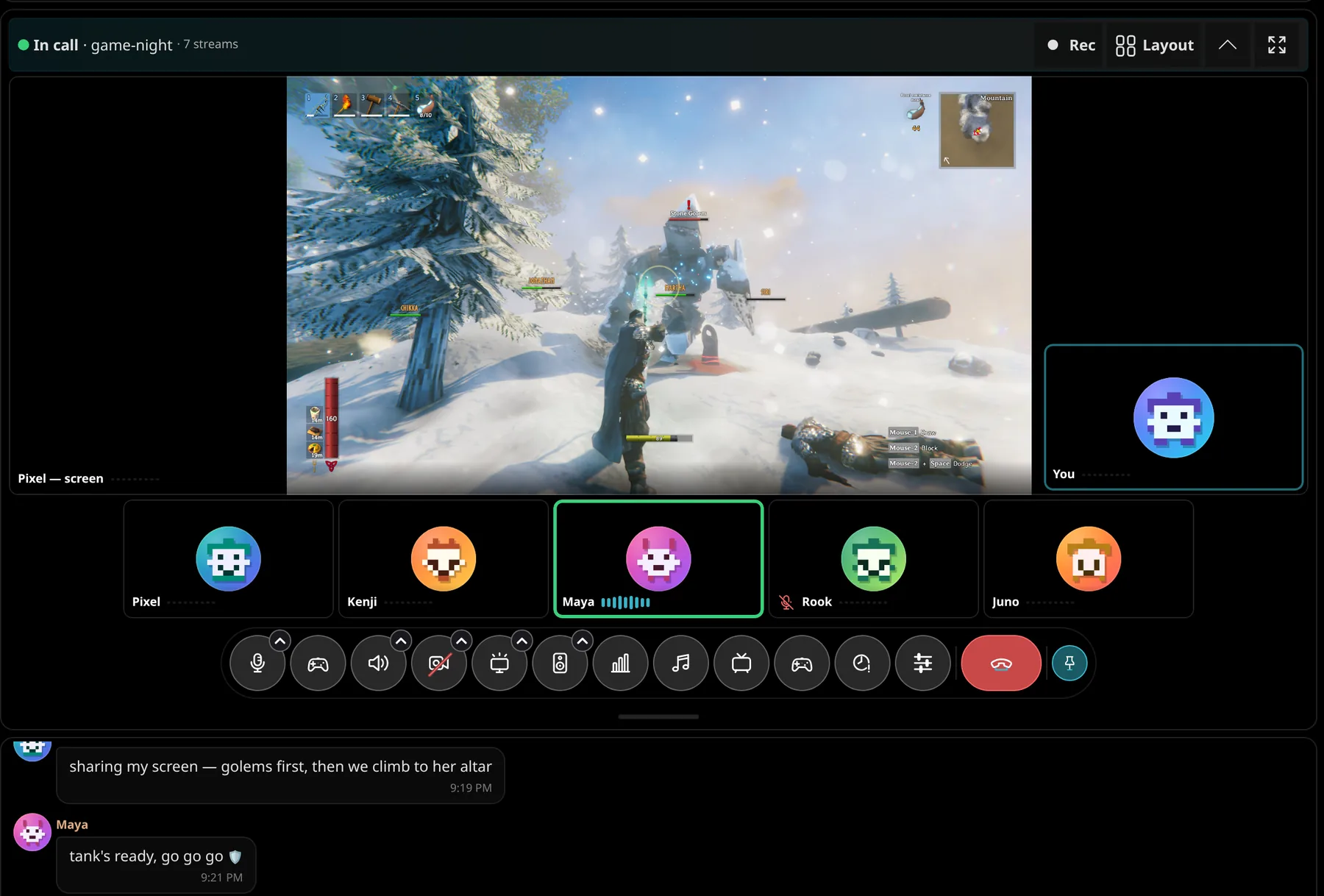
Pixel's game stream on stage in a call with six friends, with the call buttons underneath.

03 Memories

Replay the night.

Turn on recording for a room and every call there becomes a Memory: rewatch the raid, jump between everyone's point of view, and clip the moment someone fell off the bridge.
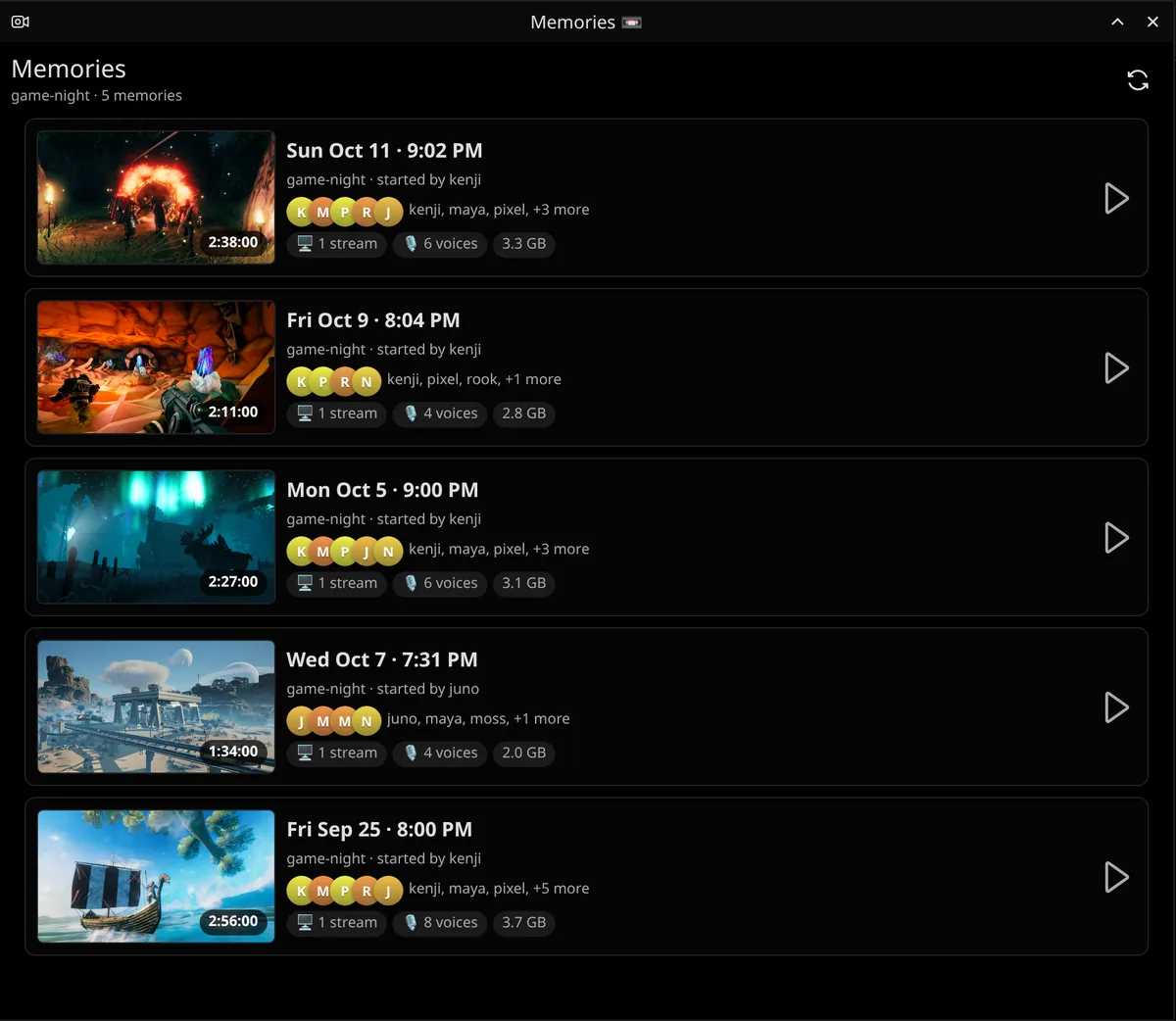
  • Every point of view. Switch between streams and cameras like a replay director.
  • Clips in one click. Mark it live with Clip, share it in chat.
  • You're in charge. Recording is per room with a visible REC cue, and Never record me keeps you out entirely.
Memories: the game-night room's recorded calls, each with its date, who started it, who was there, streams, voices and length.

04 Game night

Plan it. Spin it. Play it.

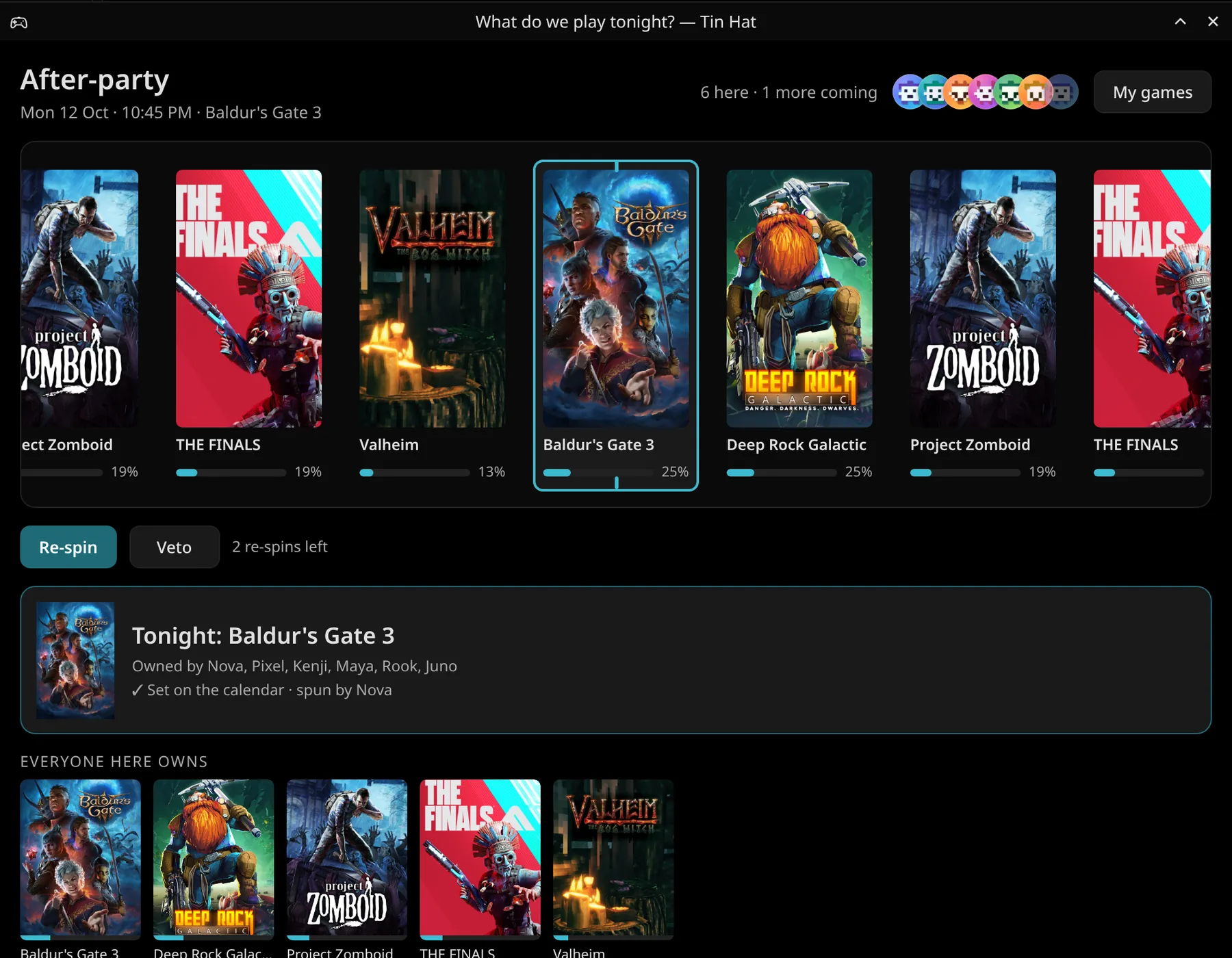
Put the night on the calendar, see who's coming, and when nobody can decide, spin the Game Reel. It keeps score, so the same person doesn't get their pick every week.
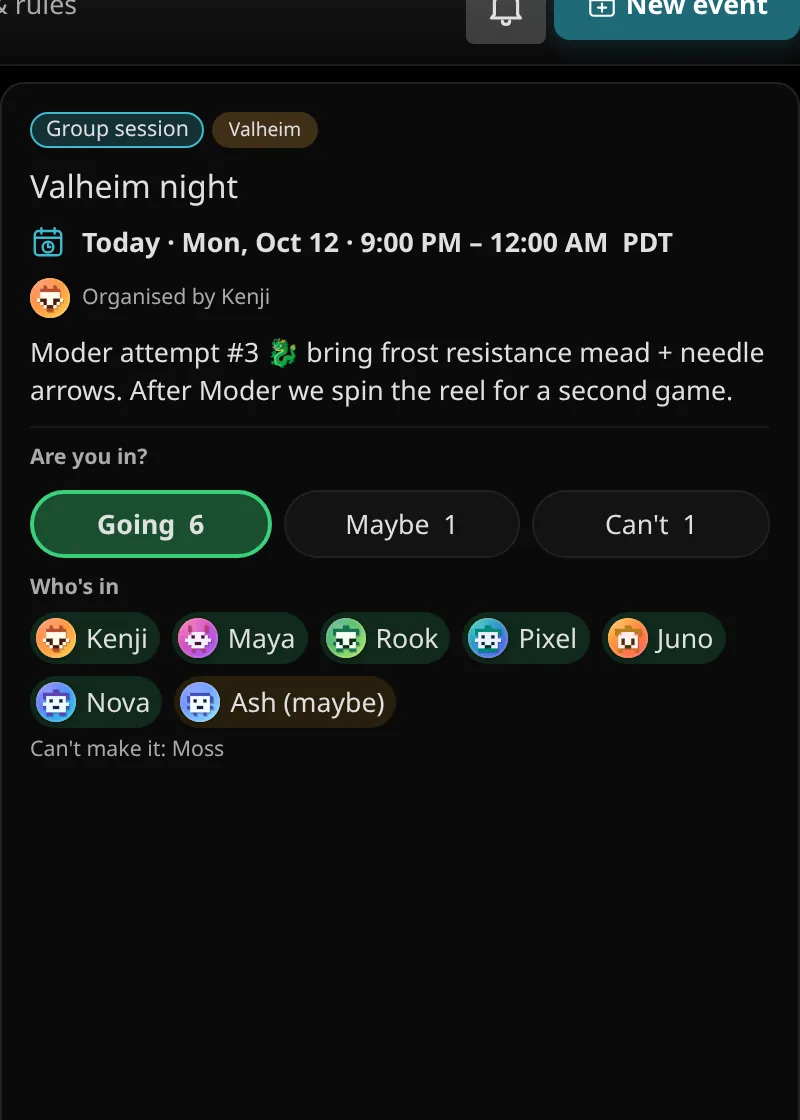
  • Game nights with RSVPs. Going, Maybe, Can't. Reminders, and Up next right under your rooms.
  • The Game Reel. Everyone's games in, one spin, a fair result. Credits even out who gets their pick.
  • Game servers widget. See what's running, who's on and the join address. Admins start and stop servers from Tin Hat.
  • Polls and dice. Settle the rest: pizza or tacos, who takes the first watch.
  • Media Party. Watch YouTube or play YouTube Music together, in sync, straight from the call bar. The video grows with the window, or go theater, fullscreen or a mini player that stays on top; drag the queue around, Play next, Shuffle. Search with suggestions, whole playlists in one go, Trending, and the room's History.
The Game Reel window, What do we play tonight: the crew's games (Valheim, Baldur's Gate 3, Deep Rock Galactic, Project Zomboid, THE FINALS) with each game's odds, Re-spin and Veto, and tonight's pick set on the calendar.
A game night on the calendar: Valheim night, today 9:00 PM, with Going 6, Maybe 1, Can't 1 and who's in.

05 Make it yours

Your layout. Your colours. Your buttons.

Every part of the window is an island you can move. Pick from 1,190 themes, build your own in the theme editor, and your setup follows you to every device.
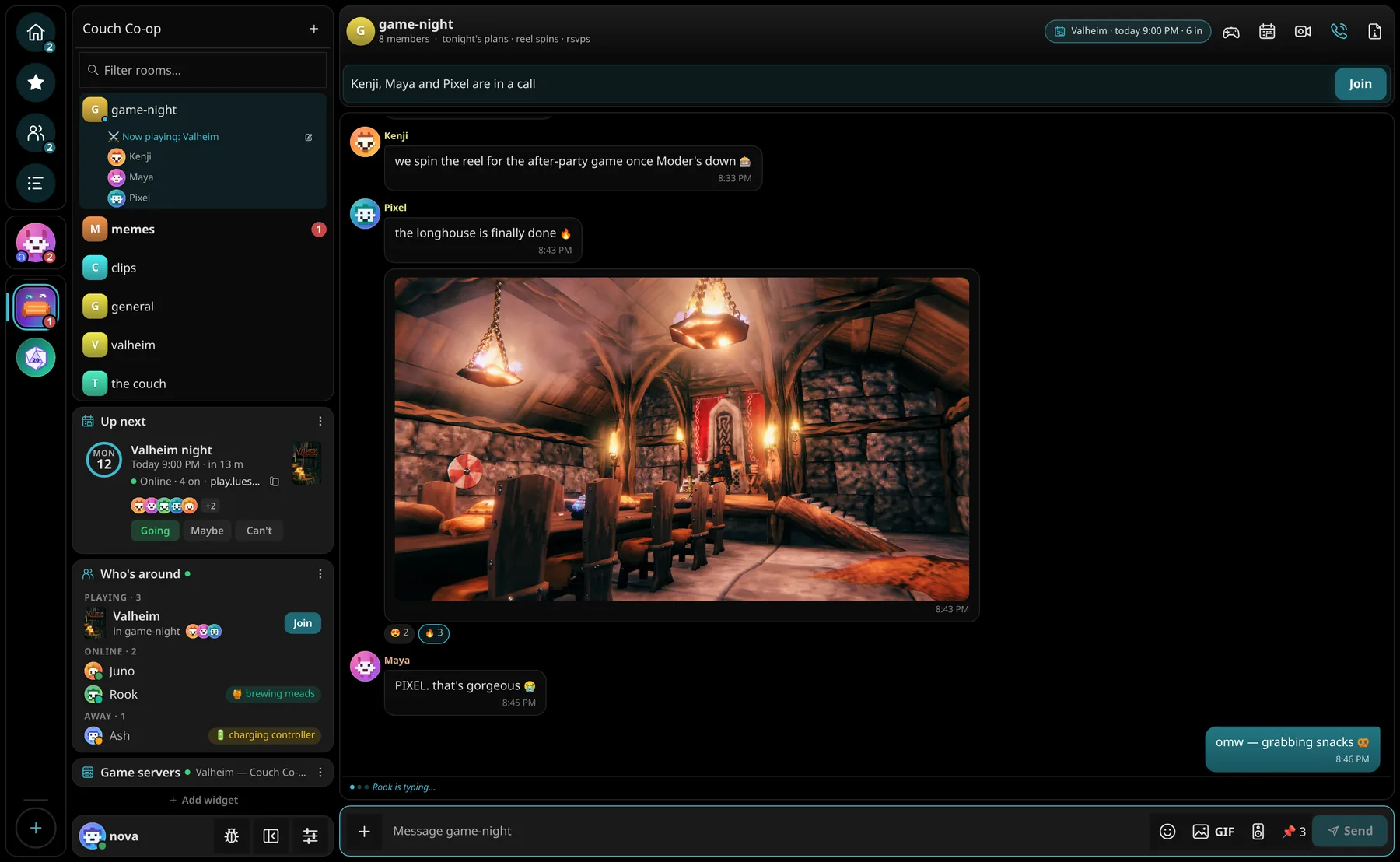
Tin Hat in the OLED theme: the Couch Co-op space with the game-night chat about tonight's Valheim night, a screenshot Pixel posted, and the Up next, Who's around and Game servers widgets.
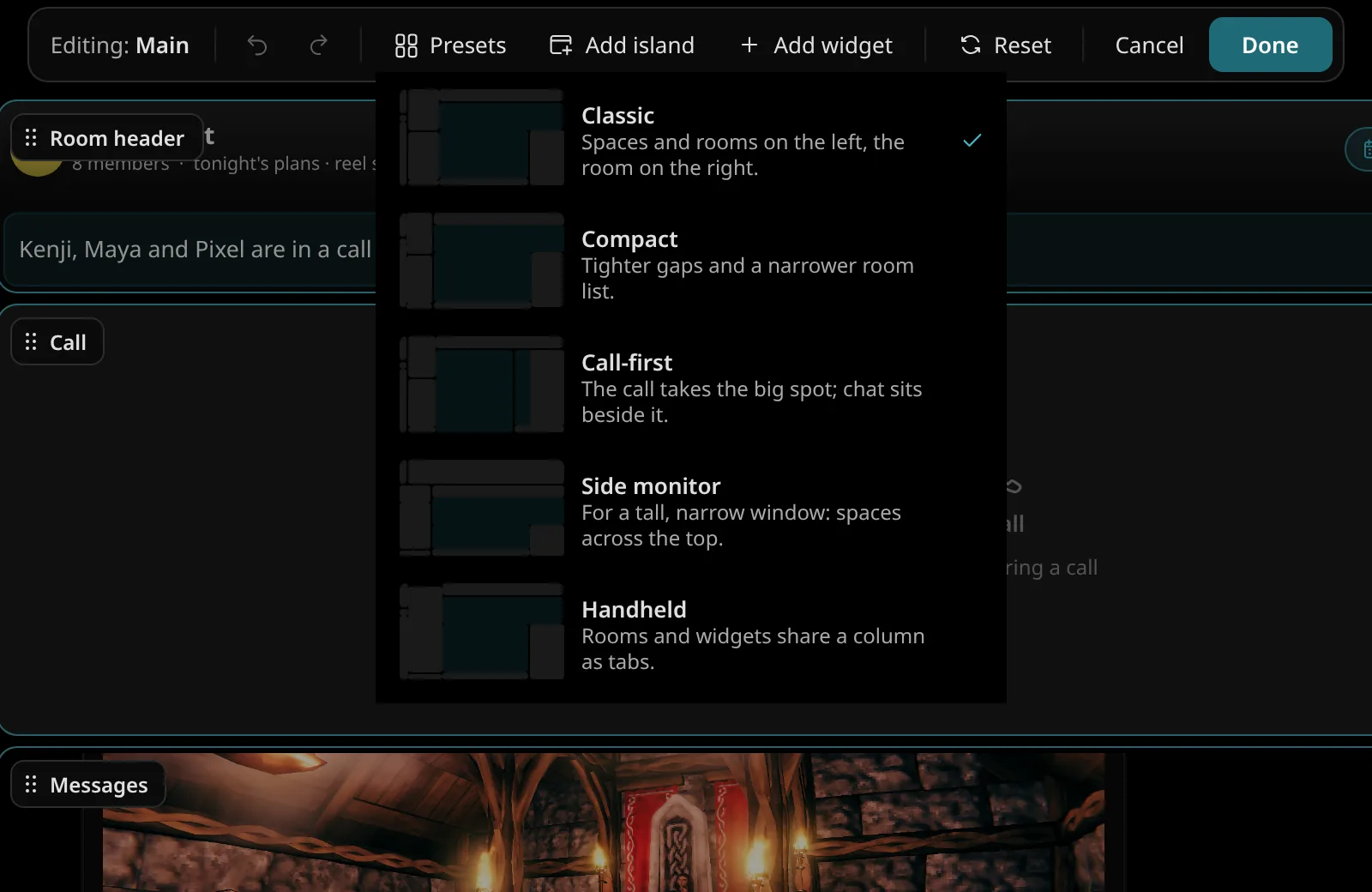
Edit mode: every island labelled and draggable, with the layout presets Classic, Compact, Call-first, Side monitor and Handheld.

Edit mode

Press Ctrl E and drag islands wherever you want them. Dock them side by side, stack them as tabs, or start from a preset: Classic, Compact, Call-first, Side monitor or Handheld.
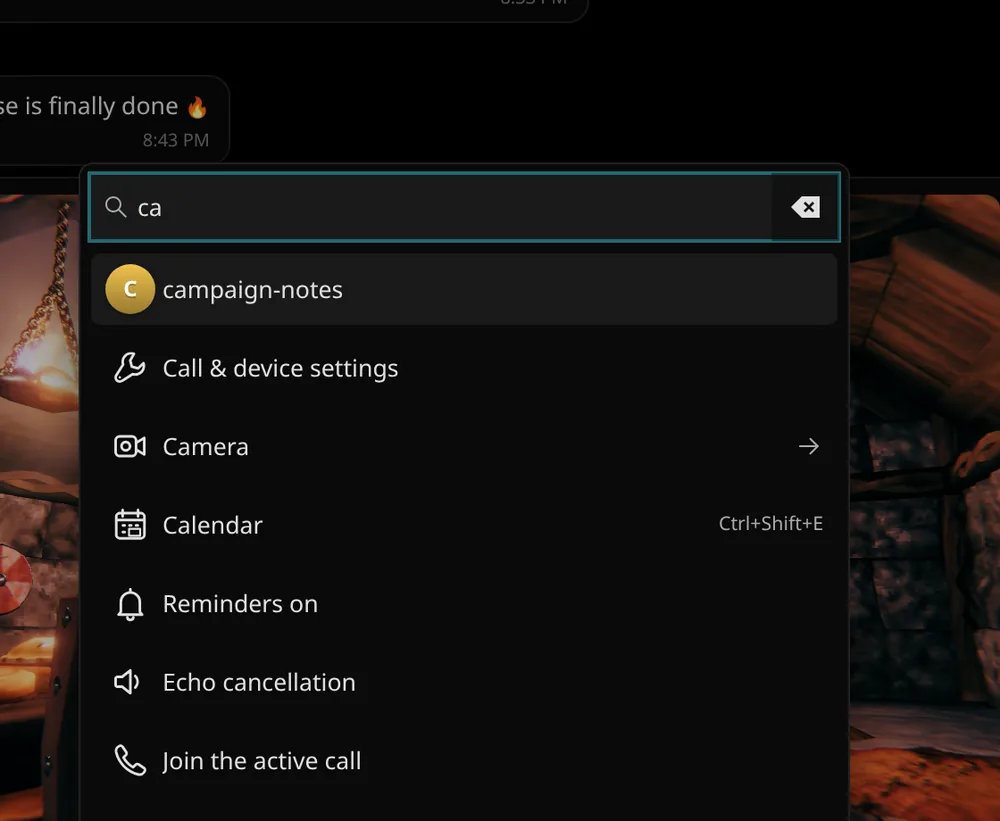
The Ctrl+K palette searching for 'ca': a room, Call & device settings, Camera, Calendar with its shortcut, Echo cancellation, Join the active call.

Your own buttons

Hide, reorder and add buttons, make your own button islands, and give any action a keyboard shortcut. Ctrl K runs anything.
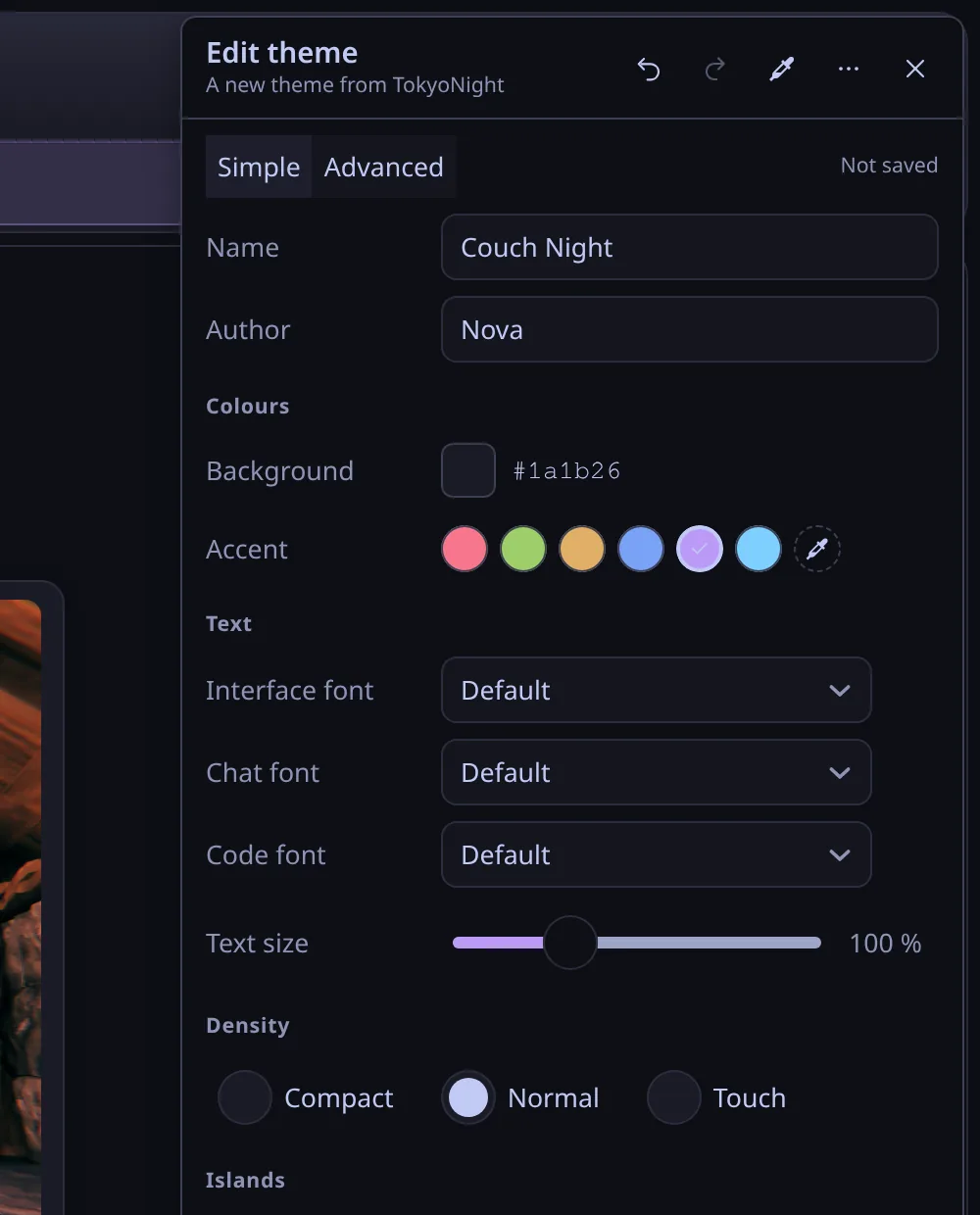
The theme editor making Couch Night from TokyoNight: background, accent, fonts, density and island corner radius, gap and border.

Theme editor

Start from any theme and tune every colour. Import a terminal theme you love, or share yours into a room so friends can grab it in one click.

06 Widgets

Everything at a glance.

Fill the space under your rooms with what you actually check: tonight's plans, who's around, the server, the scoreboard.

Up next · Call stats · Who's around · Game servers · Pinned · Mentions · Sticky note · Is it just me? · Memories · Soundboard pad · Dice roller · Friends' clocks · Polls · Game night

07 Private

Chat like nobody's watching.
Nobody is.

Tin Hat runs on LuesHub, a server our crew owns. Nobody mines your messages for ads, sells your data or asks for a selfie with your ID.

  • End-to-end encrypted. Every call and every direct message is locked to the devices in it. A padlock shows which rooms are encrypted too.
  • Status is opt-in. Online, away, in a call or what you're playing only shows if you turn it on. One switch turns it off.
  • Open protocol. Built on Matrix, so your account also works in other Matrix apps like Element.
  • Guest links. A friend without an account joins a call from their browser. No sign-up.
Adsnone
Premium tiernone
ID or face scannever
Calls & direct messagesend-to-end encrypted
Your statusonly if you share it
Serverours · lueshub.com

08 Everywhere

Same crew, every screen.

One account for everything. Start a call on your PC, pick it up on your phone, and your layout, theme and settings come with you.

  • Windows app with a one-click installer that keeps itself up to date.
  • Linux via Flatpak: CachyOS, Arch, Bazzite, SteamOS, Fedora, Ubuntu and more. It launches from Steam Game Mode too.
  • Web at tinhat.lueshub.com, the same app in any browser, with nothing to install.
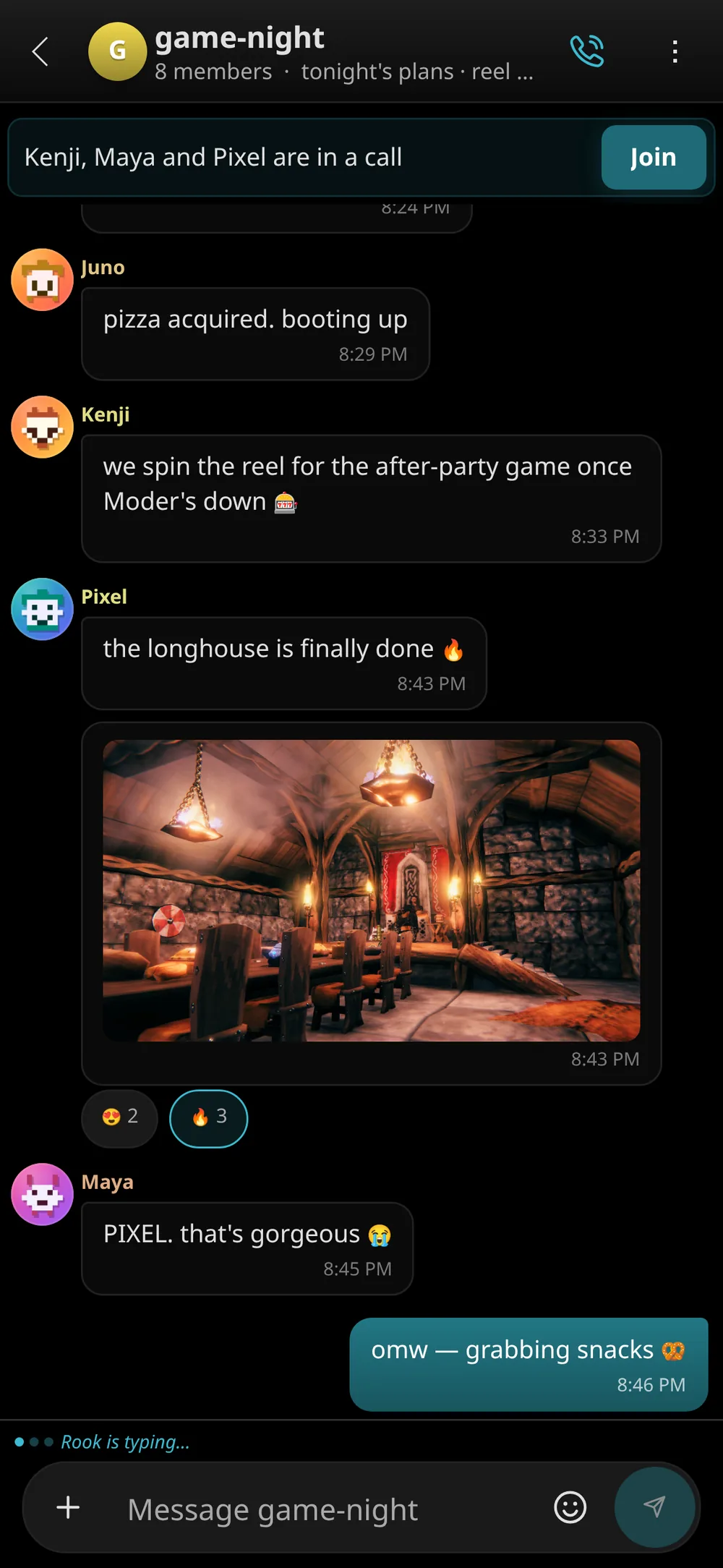
  • iPhone and Android. Add the web app to your home screen for a full-screen app with notifications.

The desktop app is native Qt and Rust, not a web page in a wrapper. It barely touches your CPU while idle and can sit on a side monitor while you play.
Tin Hat in the OLED theme: the Couch Co-op space with the game-night chat about tonight's Valheim night, a screenshot Pixel posted, and the Up next, Who's around and Game servers widgets.
Tin Hat on a phone: the game-night chat.

09 Built with the crew

You report it.
We ship it.

Spotted a bug or want something new? Tell us from this site or from inside Tin Hat, no account needed. Every report gets a ticket number, and you can watch it go from new to fixed to shipped.

Already in Tin Hat? The bug button on your account card, next to your name, sends a report with your logs attached.

Live
  • Loading…
Open the tracker→

10 For the nerds

Native Rust.
Not Electron.

Tin Hat is compiled Rust with a Qt Quick interface drawn by your GPU: no bundled browser, no Node.js. The web app is a from-scratch twin that speaks the same protocol.

Look under the hat

113klines of Rust
56klines of QML
535Rust tests
0lines of Electron

Get Tin Hat

Pick your platform.

Same account everywhere. New here? You'll need an invite code from someone in the crew to create your account.

Linux

A Flatpak for any distro. Paste a couple of commands and you're done. Updates arrive in the app and in Discover.

CachyOSArchBazziteSteamOSFedoraUbuntuMint
tinhat.lueshub.com

Web & phone

Nothing to install. The full app in your browser, and a home-screen app on iPhone and Android.

On a Mac? Use the web app. It does everything the desktop app does, apart from a few things browsers can't.

Someone sent you a call link?

Just open it. Guest links drop you straight into the call in your browser. No account, no install, pick a name and you're in.

Already have it?

It updates itself. When a new version is out, Tin Hat shows a banner with Update now. You never need to come back here.

Changelog

What's new.

Tin Hat ships often. Every release lands on Windows, Linux and the web at the same time.

  1. Loading release notes…