Windows
Windows 10 and 11. One installer, no admin rights, and it keeps itself up to date after that.
Windows warns you once because the app isn't code-signed yet. Here's why, and what to click.
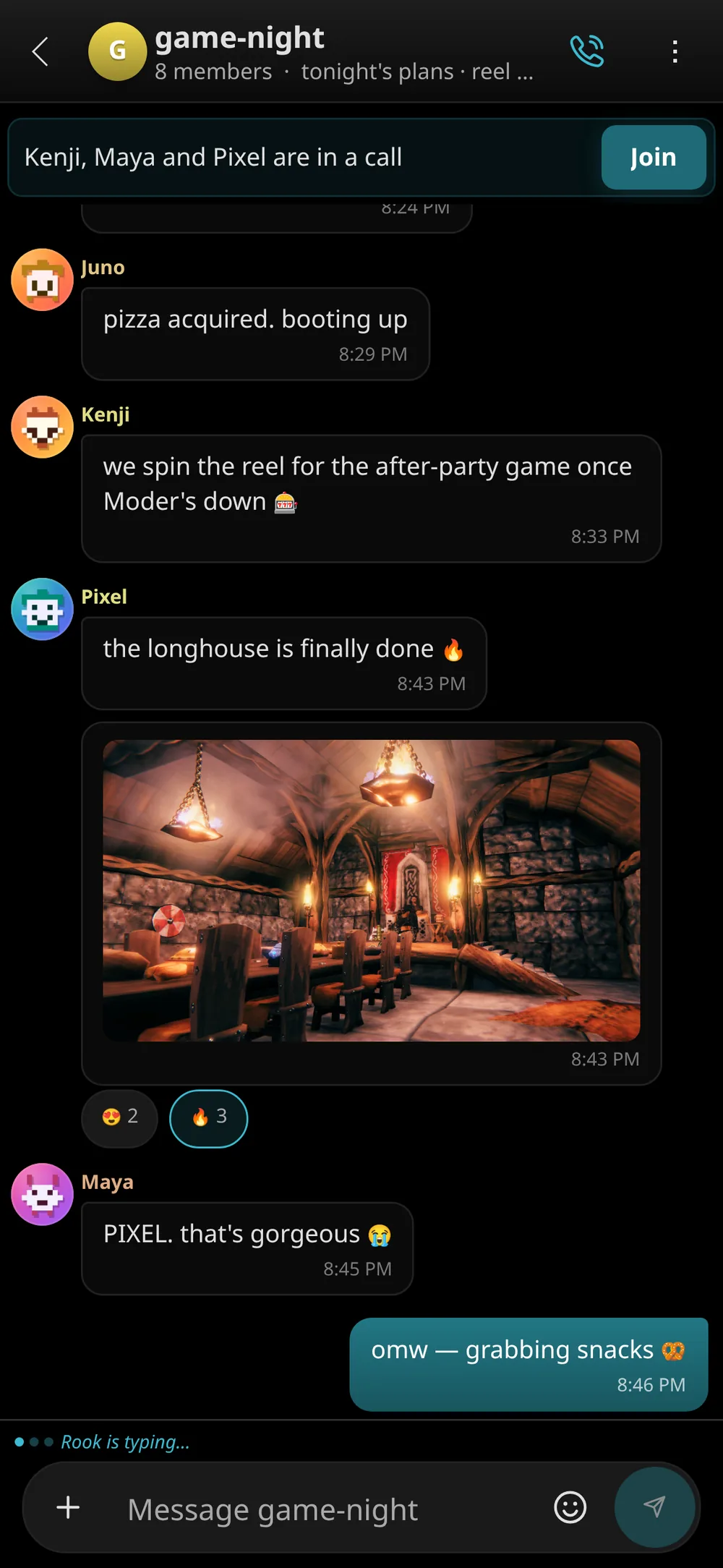
Tin Hat is the chat, voice and game-night app our crew built for itself. Crisp calls, 4K screen shares and zero upsells, on a server we run ourselves, with end-to-end encrypted calls.
Windows · Linux · web · iPhone & Android. Free, no ads, no ID checks.
Tin Hat is where our crew hangs out. Chat, voice and game nights on a server we run ourselves, with no fees, no ads, no ID checks and nobody reading over your shoulder.
01 Calls
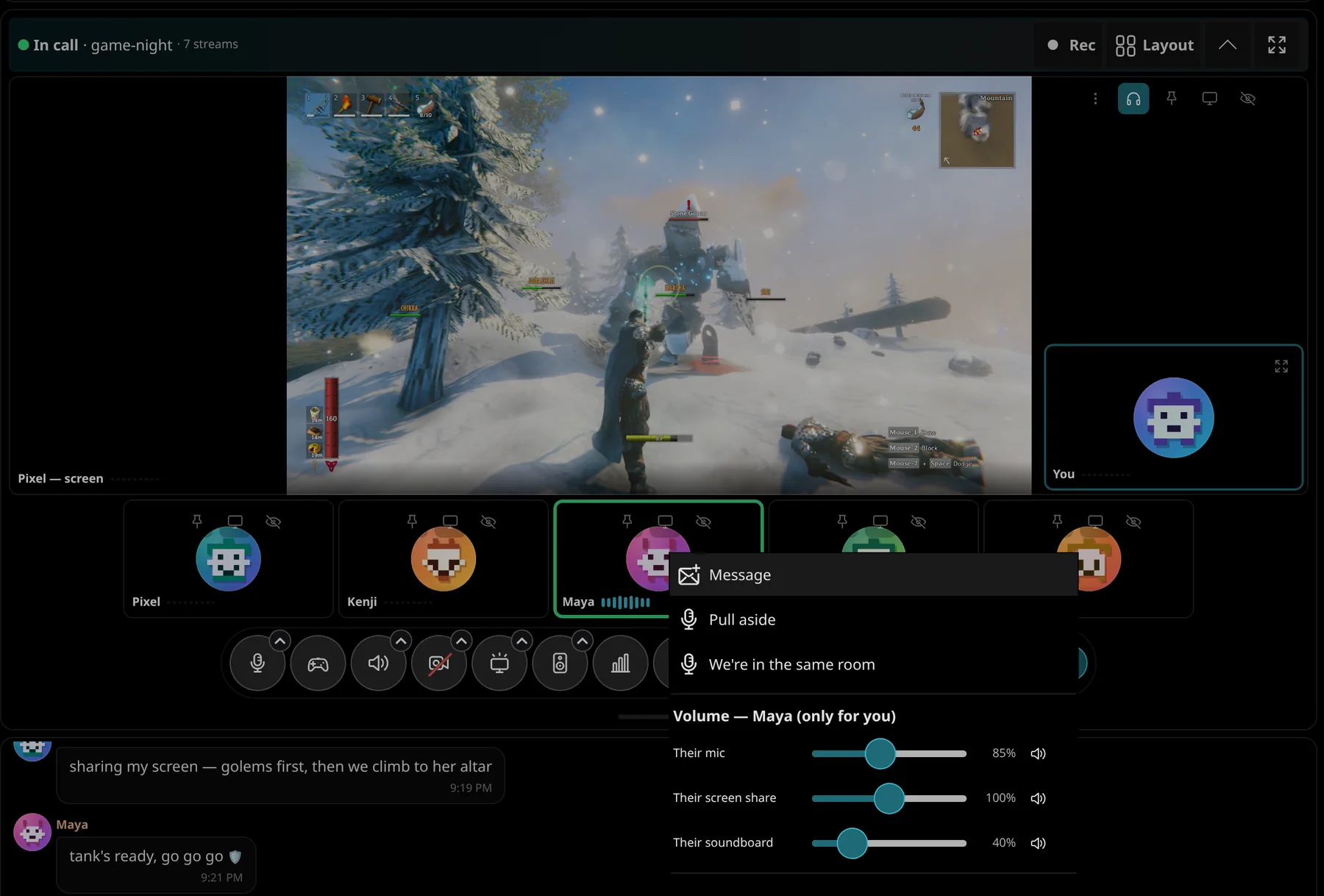
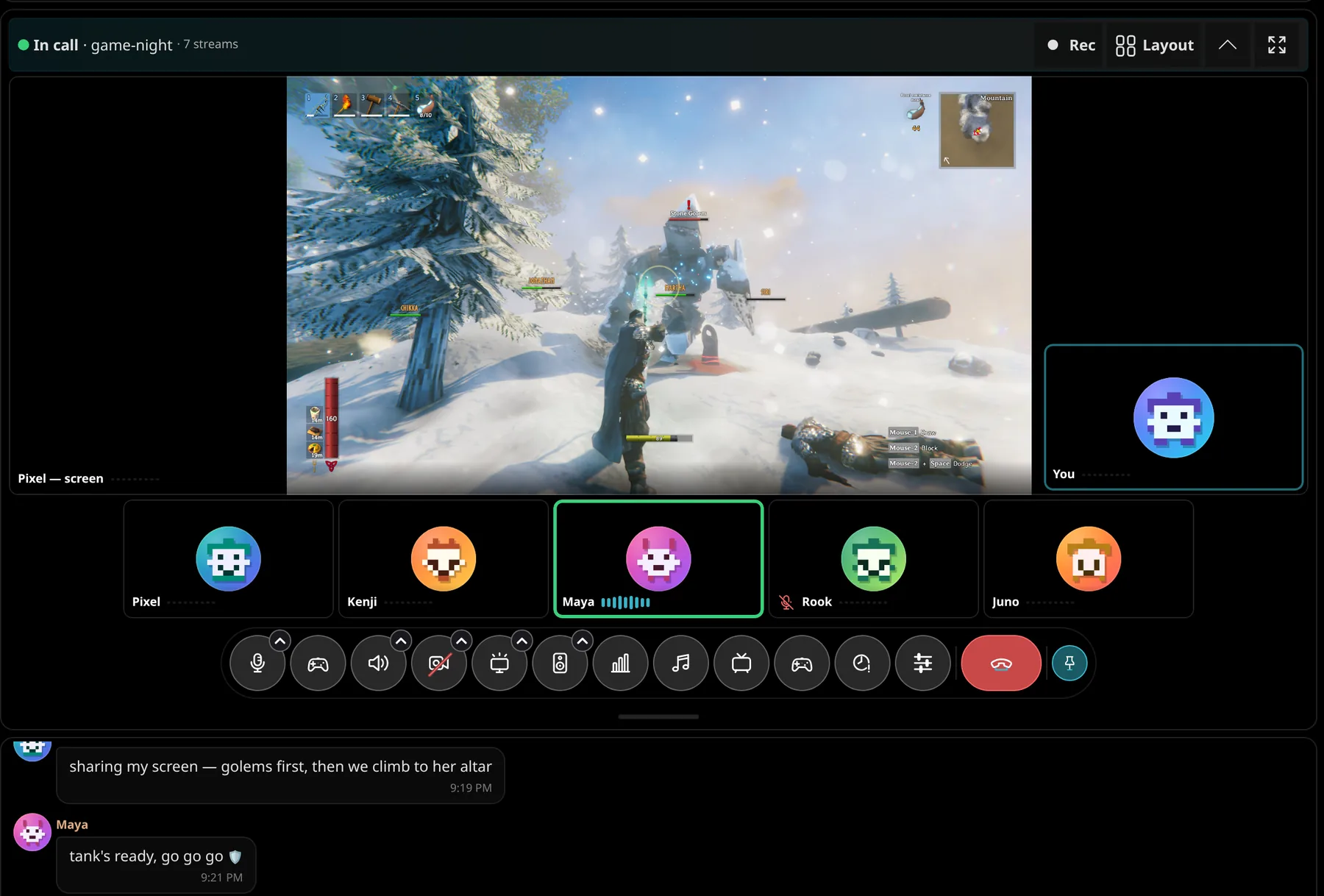
Hop in with one click and hear everyone clearly. Echo cancellation and noise suppression are built in, and every voice gets its own volume.
02 Streams
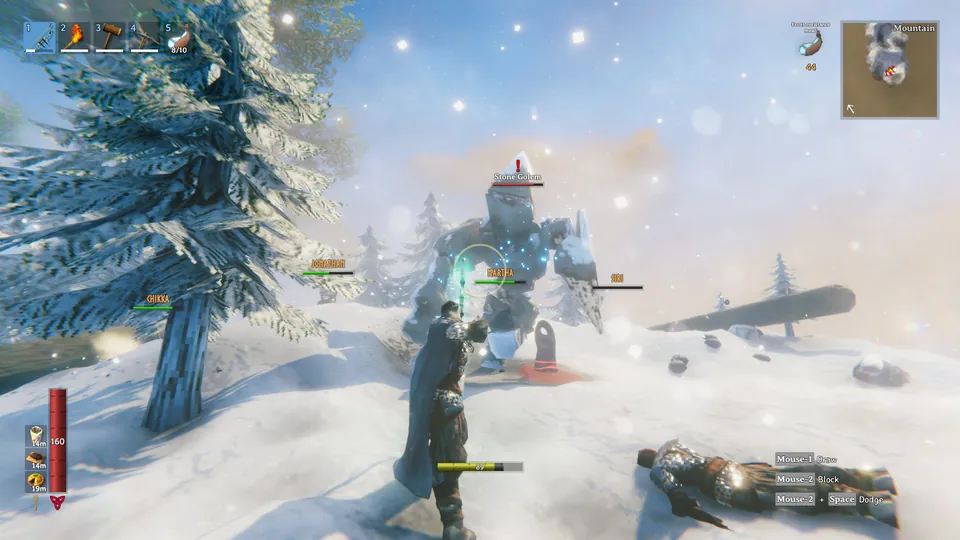
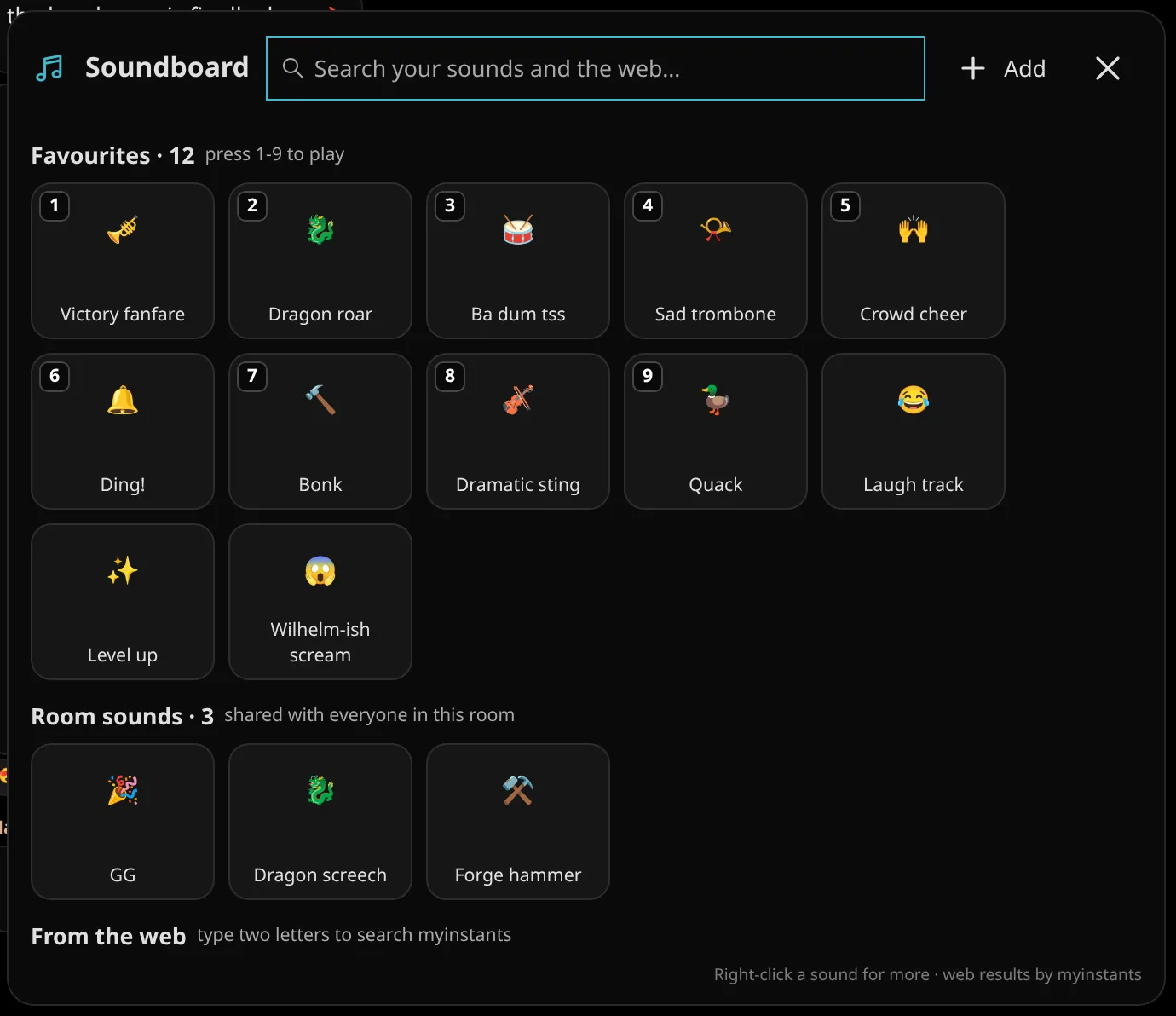
Share your game in 1080p60, 1440p or full 4K at 60 fps, hardware-encoded on your graphics card. No subscription unlocks it, because there's nothing to unlock.
03 Memories
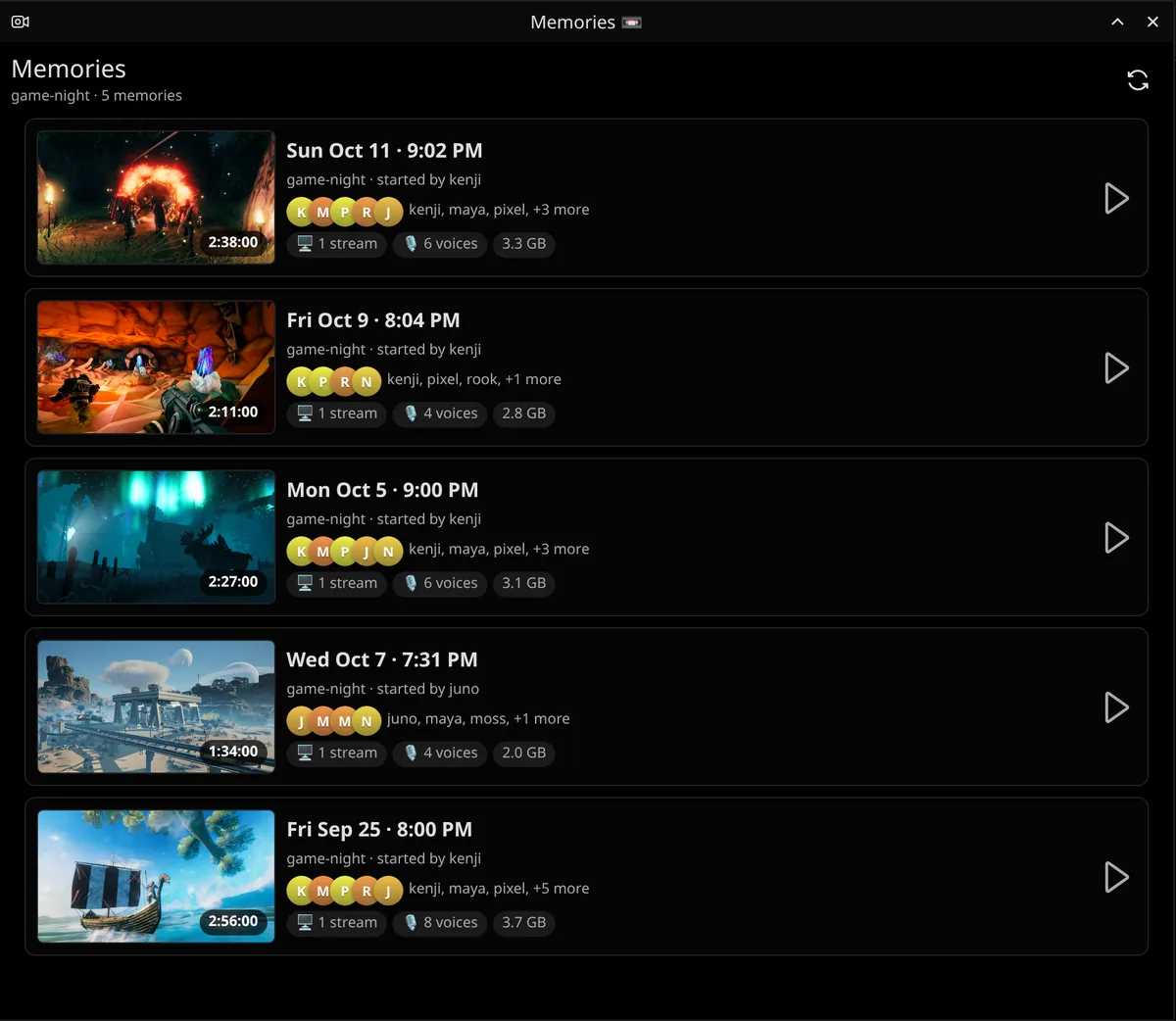
Turn on recording for a room and every call there becomes a Memory: rewatch the raid, jump between everyone's point of view, and clip the moment someone fell off the bridge.
04 Game night
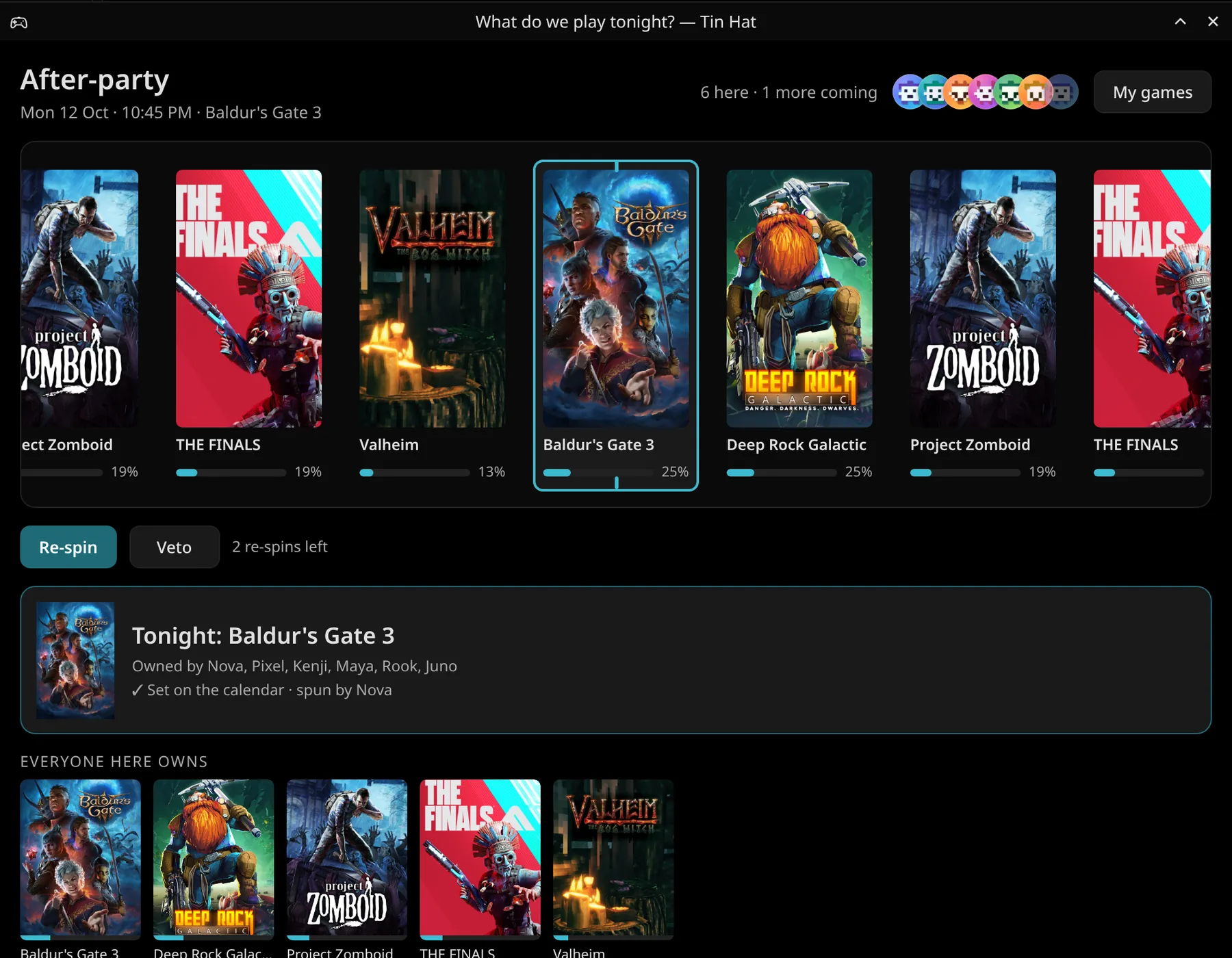
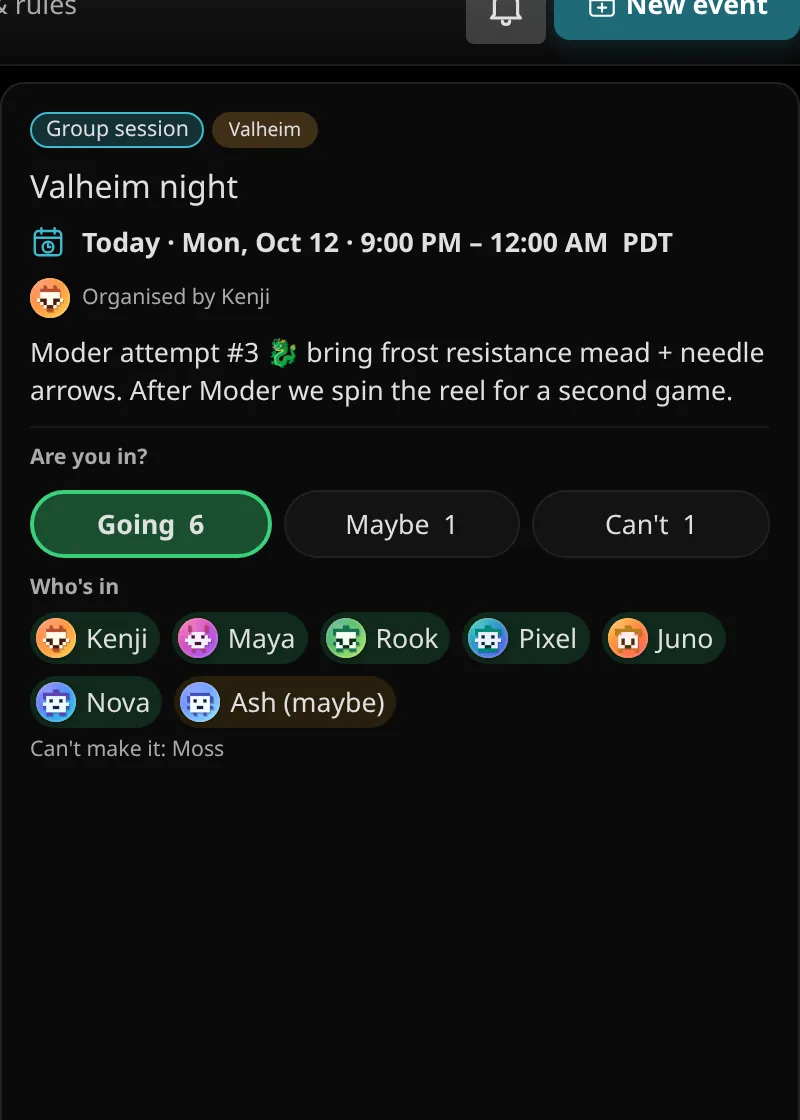
Put the night on the calendar, see who's coming, and when nobody can decide, spin the Game Reel. It keeps score, so the same person doesn't get their pick every week.
05 Make it yours
Every part of the window is an island you can move. Pick from 1,190 themes, build your own in the theme editor, and your setup follows you to every device.
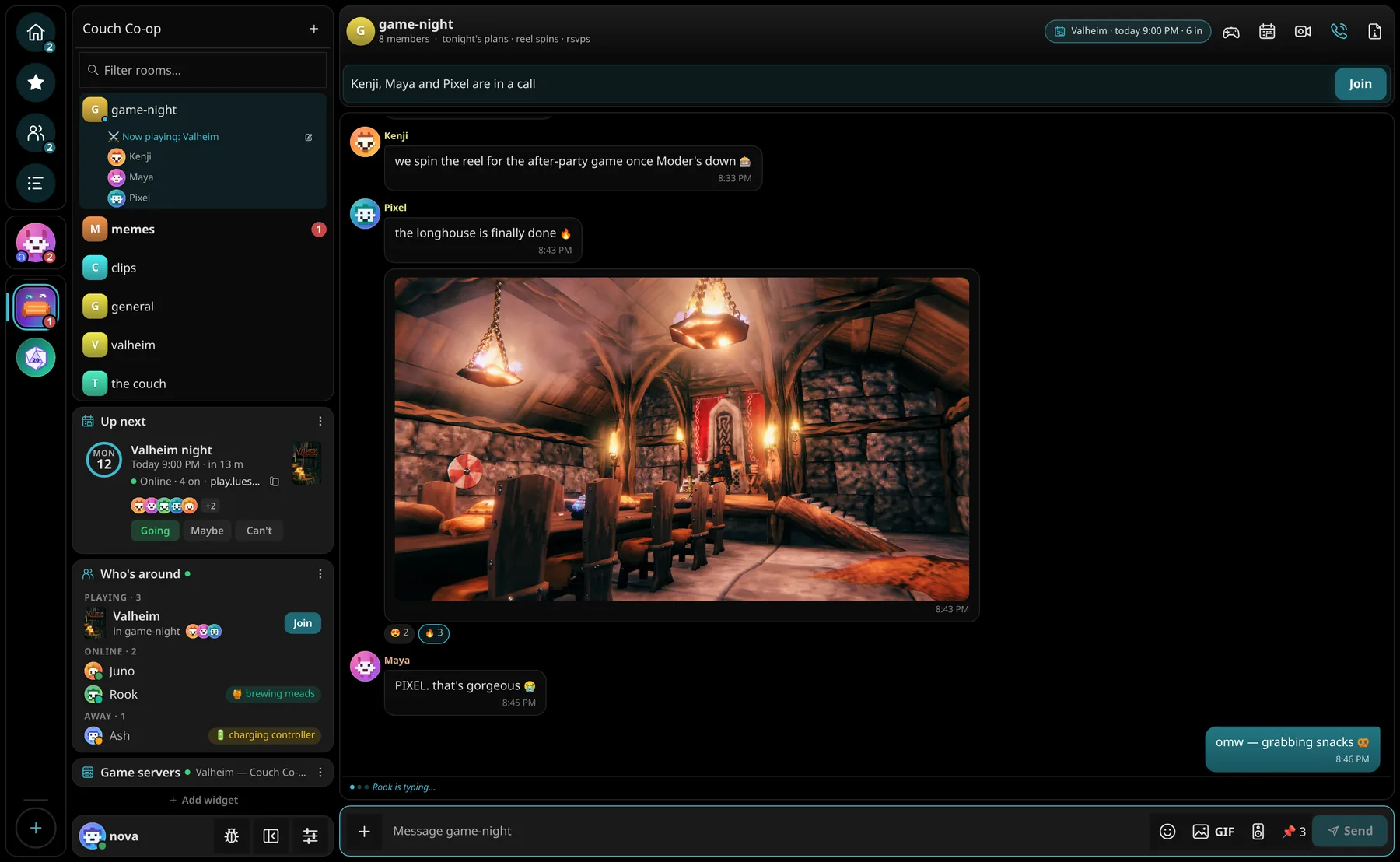
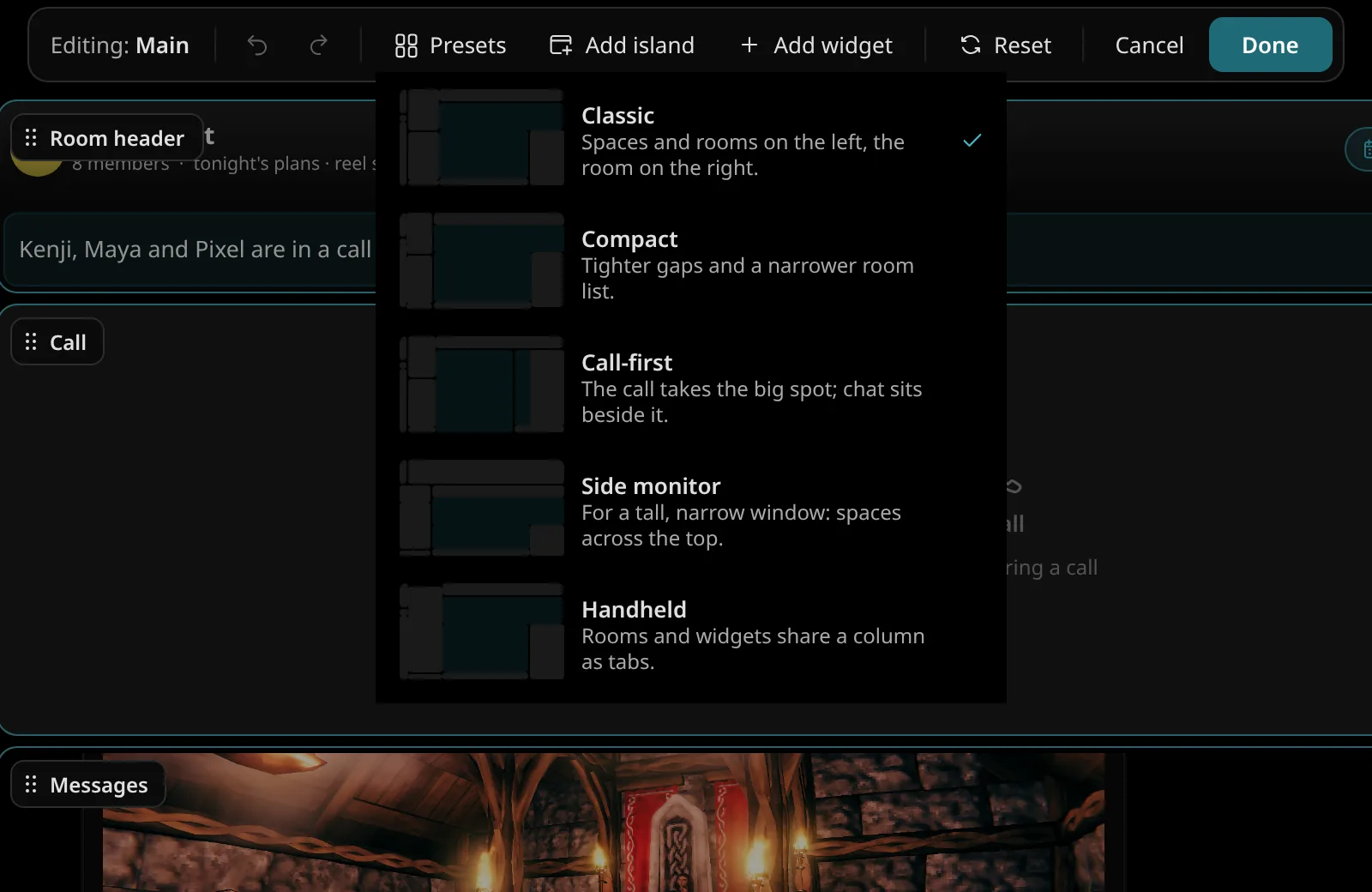
Press Ctrl E and drag islands wherever you want them. Dock them side by side, stack them as tabs, or start from a preset: Classic, Compact, Call-first, Side monitor or Handheld.
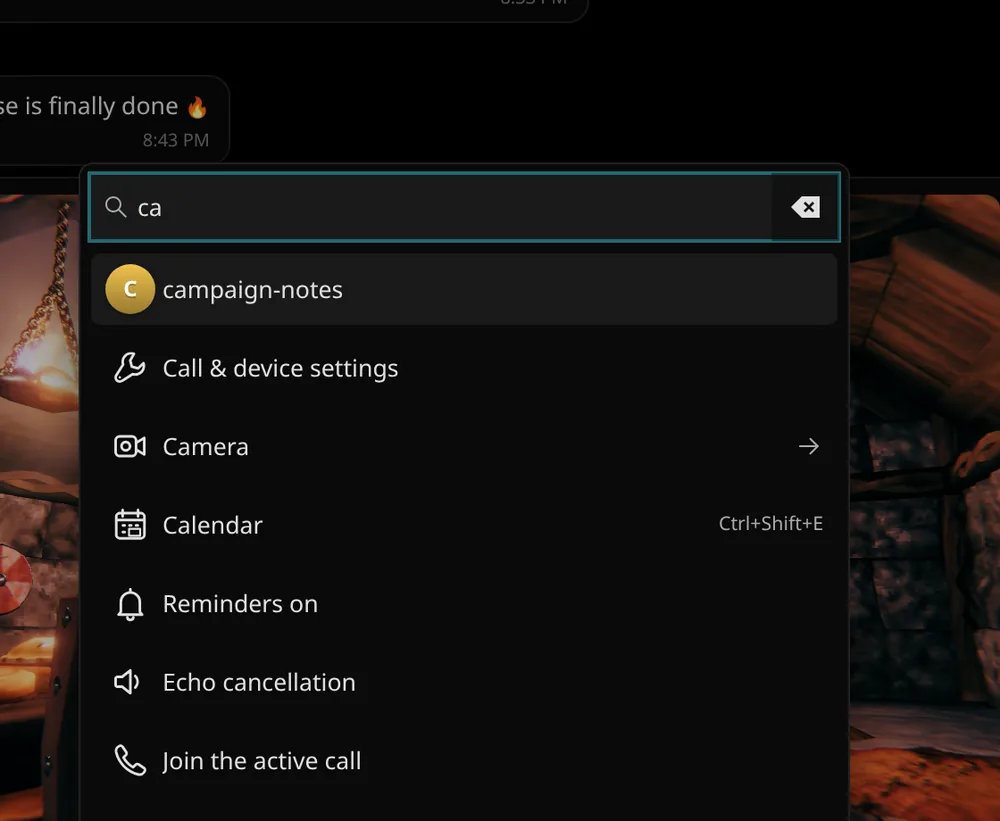
Hide, reorder and add buttons, make your own button islands, and give any action a keyboard shortcut. Ctrl K runs anything.
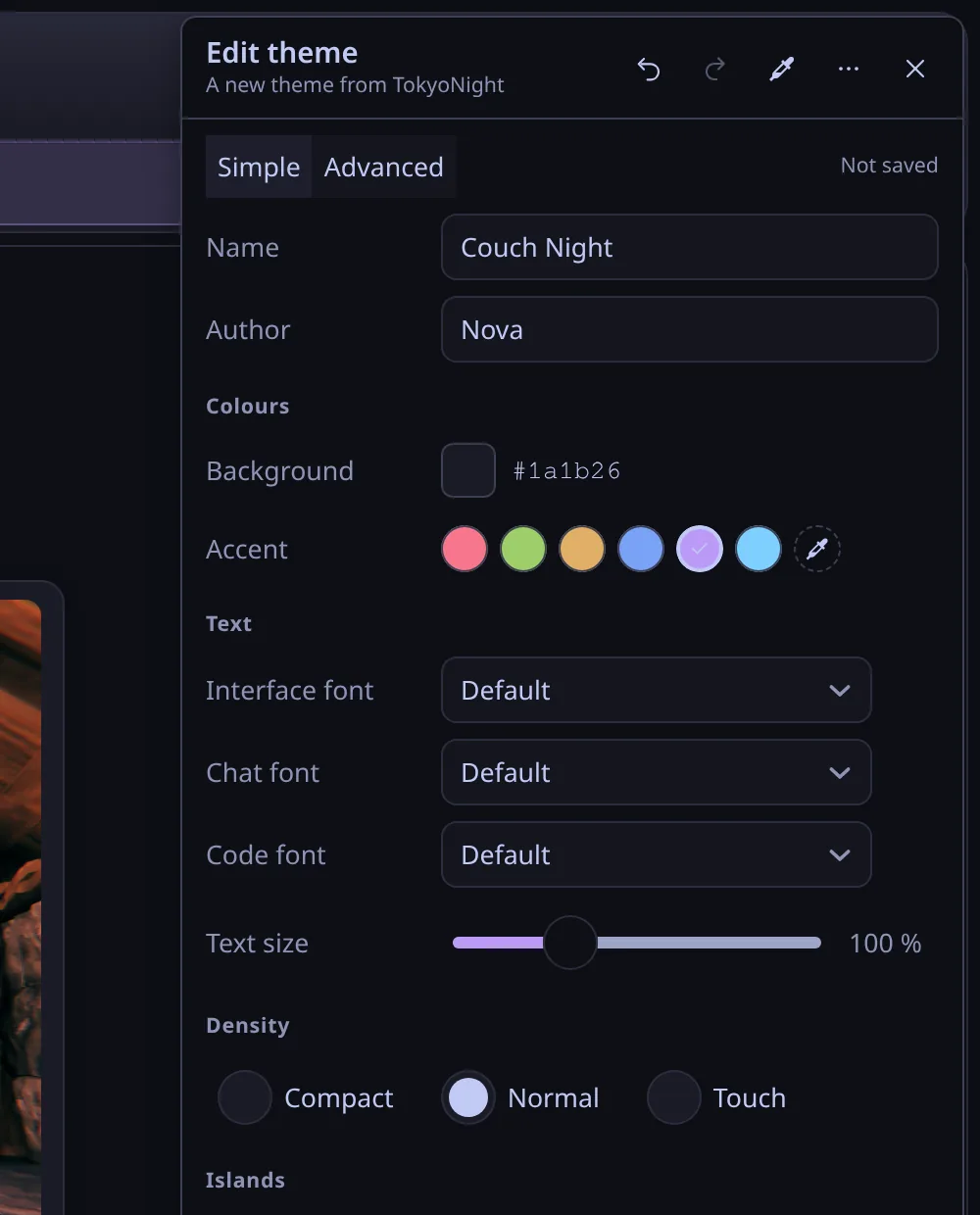
Start from any theme and tune every colour. Import a terminal theme you love, or share yours into a room so friends can grab it in one click.
07 Private
Tin Hat runs on LuesHub, a server our crew owns. Nobody mines your messages for ads, sells your data or asks for a selfie with your ID.
08 Everywhere
One account for everything. Start a call on your PC, pick it up on your phone, and your layout, theme and settings come with you.
The desktop app is native Qt and Rust, not a web page in a wrapper. It barely touches your CPU while idle and can sit on a side monitor while you play.
09 Built with the crew
Spotted a bug or want something new? Tell us from this site or from inside Tin Hat, no account needed. Every report gets a ticket number, and you can watch it go from new to fixed to shipped.
Already in Tin Hat? The bug button on your account card, next to your name, sends a report with your logs attached.
Get Tin Hat
Same account everywhere. New here? You'll need an invite code from someone in the crew to create your account.
Windows 10 and 11. One installer, no admin rights, and it keeps itself up to date after that.
Windows warns you once because the app isn't code-signed yet. Here's why, and what to click.
A Flatpak for any distro. Paste a couple of commands and you're done. Updates arrive in the app and in Discover.
Nothing to install. The full app in your browser, and a home-screen app on iPhone and Android.
On a Mac? Use the web app. It does everything the desktop app does, apart from a few things browsers can't.
Just open it. Guest links drop you straight into the call in your browser. No account, no install, pick a name and you're in.
It updates itself. When a new version is out, Tin Hat shows a banner with Update now. You never need to come back here.
Changelog
Tin Hat ships often. Every release lands on Windows, Linux and the web at the same time.